How to use EarthDL
Install
- Download the portable zip (
earthdl-x.y.z-portable.zip) from your account page. - Extract it to any folder, for example
C:\EarthDL. No installation needed. - Double click
earthdl.exe. If Windows SmartScreen appears, click "More info" and "Run anyway". - Sign in with the email and password of your binersoft.com account.
Use
- Run
earthdl.exe. The program opens in its own window. - Choose the image source at the top: Google Earth, Google Earth historical, Google Satellite, Esri, Bing, or a custom XYZ template.
- Find your place: type a place name or
lat, lonin the search box. - Select the area: drag a box on the map, or draw a polygon (click point by point, double click or press Enter to close, Esc to cancel). You can also type west / east / south / north coordinates.
- Optional: set corner radius, edge offset and soft edge (feather), all in meters. The map shows the result live. See the examples of what the soft edge looks like.
- Choose the zoom level. Check the estimate: number of tiles, pixel size and ground size. A warning color means the image may be too big.
- For historical imagery: pick a date from the list. EarthDL downloads the newest image on or before that date, tile by tile, like the time slider of Google Earth.
- Tick SketchUp and/or Blender for the 3D exports you want, give the area a name and click Download. The job list shows the progress and the log.
- When the job is finished, open the output folder
<output>\<name>\:name.jpg/name.png+.jgw/.pgw+.prj: the mosaic with world filename.kml: overlay for Google Earthsketchup\name.skp: open in SketchUp (or click "Open in SketchUp")sketchup\name.rbandname.dae: other ways to bring it into SketchUpblender\name.blend: open in Blender (or click "Open in Blender")blender\name.glbandname.py: File > Import > glTF 2.0, or run the script in the Scripting workspace
Note: The downloaded offline images are only for your personal purpose, non-commercial use.
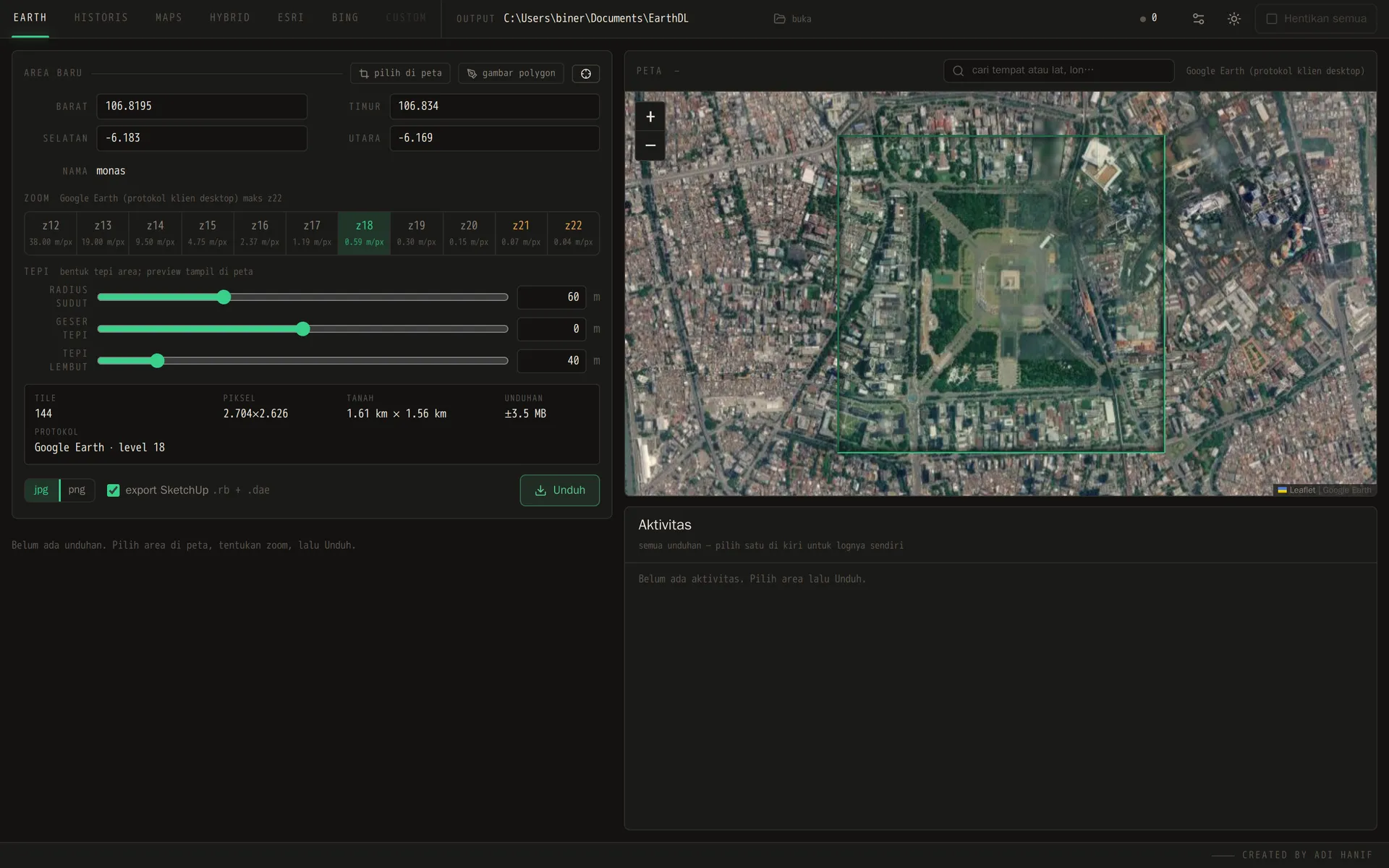
EarthDL main window: pick the area, the zoom and the edge shape
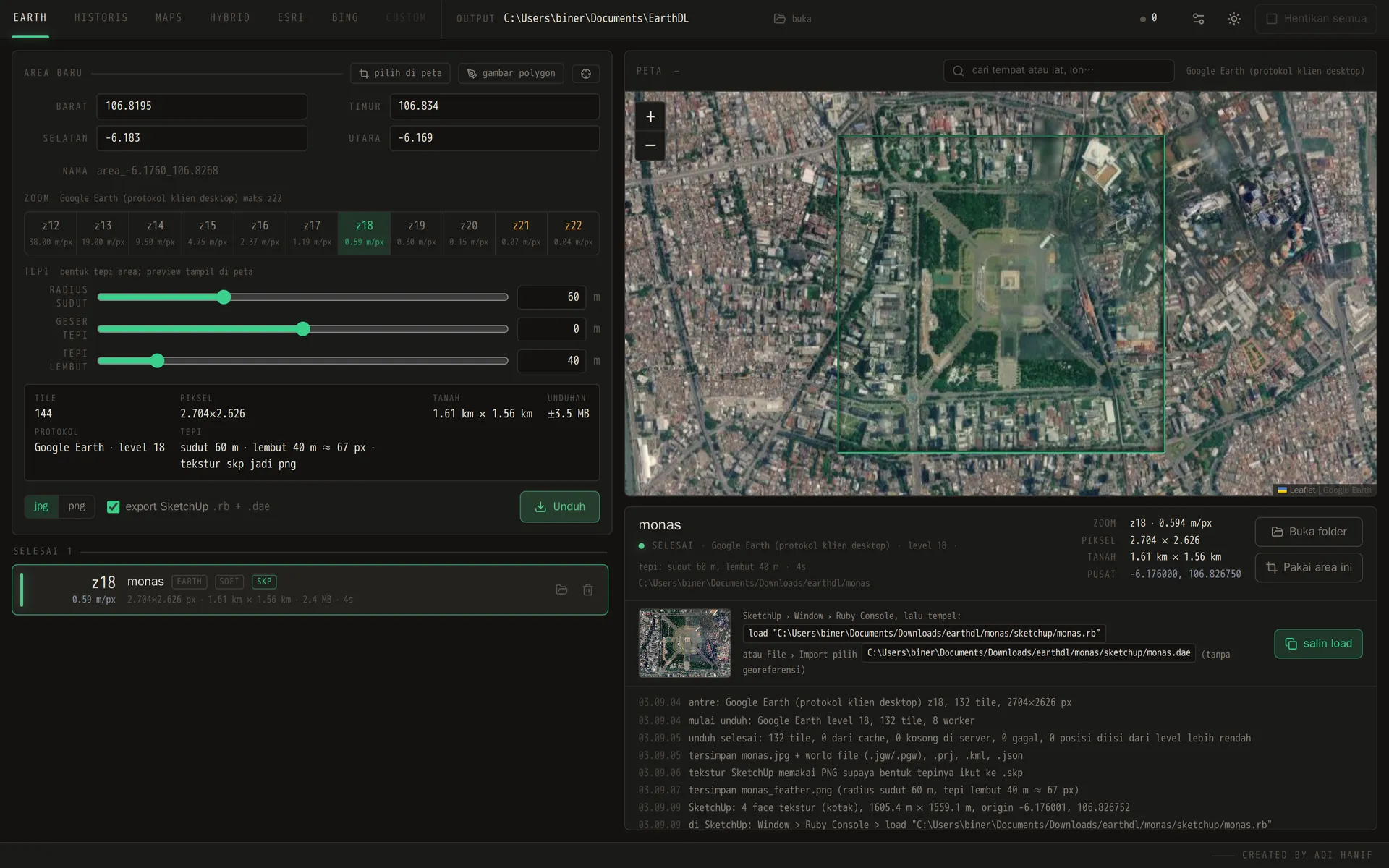
Finished job: mosaic, world file and SketchUp model ready to open