 Biner
BinerShotLight 1.0.4: the Lightshot alternative for Mac
Released at Oct 4, 2026ShotLight brings the Lightshot way of taking screenshots to the Mac. Press Shift+Cmd+5, drag over the part of the screen you want, and a small toolbar appears next to the selection: pen, line, arrow, rectangle, marker and text, in the color you choose. Then copy the result to the clipboard, save it as PNG or JPEG, or print it. That is the whole workflow, the way Lightshot users know it, without the detour through the macOS screenshot bar, Preview or Markup.
Nothing leaves your Mac. Lightshot uploads your screenshots to prnt.sc with a public link. ShotLight has no upload and no share button at all: the picture goes to your clipboard or to a file on your disk, and nowhere else. There is no account, no cloud and no telemetry.
- Shift+Cmd+5 opens ShotLight directly. The app takes the shortcut over from the macOS screenshot bar (one click in Settings), and you can give it back any time.
- Freeze-frame selection like Lightshot: the screen darkens, you drag an area, resize it by its handles, move it, and see its size in pixels.
- Annotate right on the selection: pen, straight line, arrow, rectangle, highlighter marker and bold text, 8 colors, undo.
- Return or Cmd+C copies, Cmd+S saves (to a fixed folder or with a dialog), Cmd+P prints, Esc cancels. Arrow keys nudge the selection.
- Pixel-exact Retina captures, every display, multiple monitors.
- Native Swift app for macOS 13 and newer, Intel and Apple silicon, signed and notarized by Apple. About 2 MB, no Electron, sits quietly in the menu bar.
ShotLight costs $5.90 once, for lifetime, with all future versions included. The first 7 days are a free trial with every feature, no account needed. Download ShotLight or see how it works.
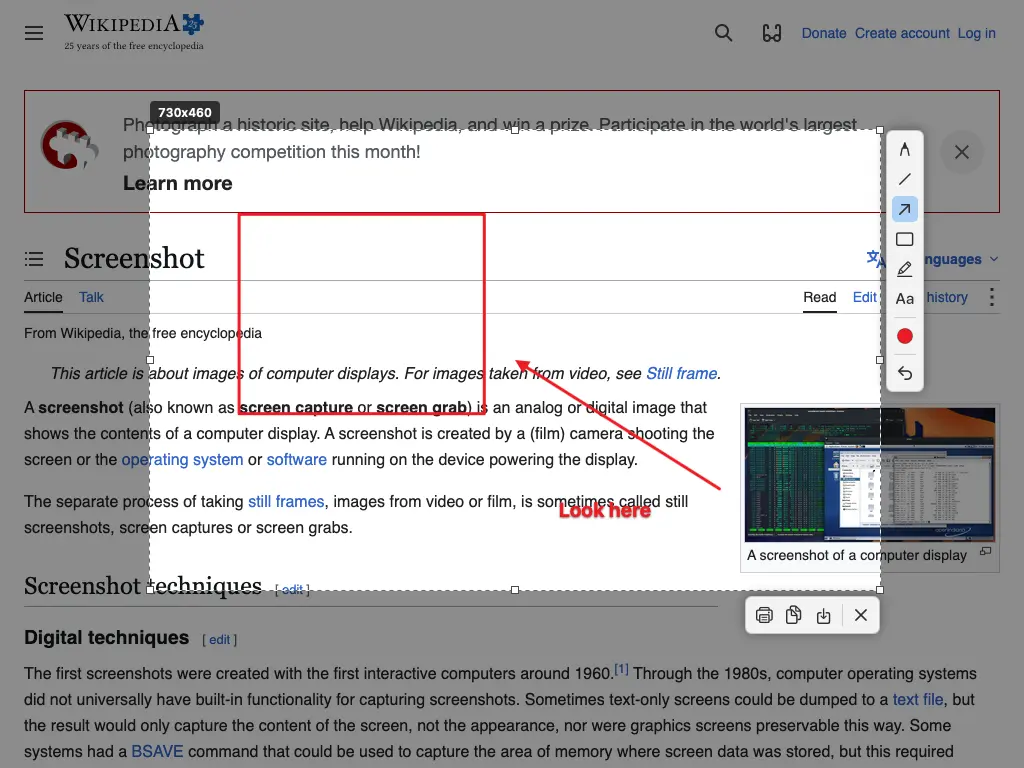
After Shift+Cmd+5: the screen freezes and darkens, you drag the area, and the tools appear next to it. Here a rectangle, an arrow and a text were added; the strip below copies, saves, prints or closes.
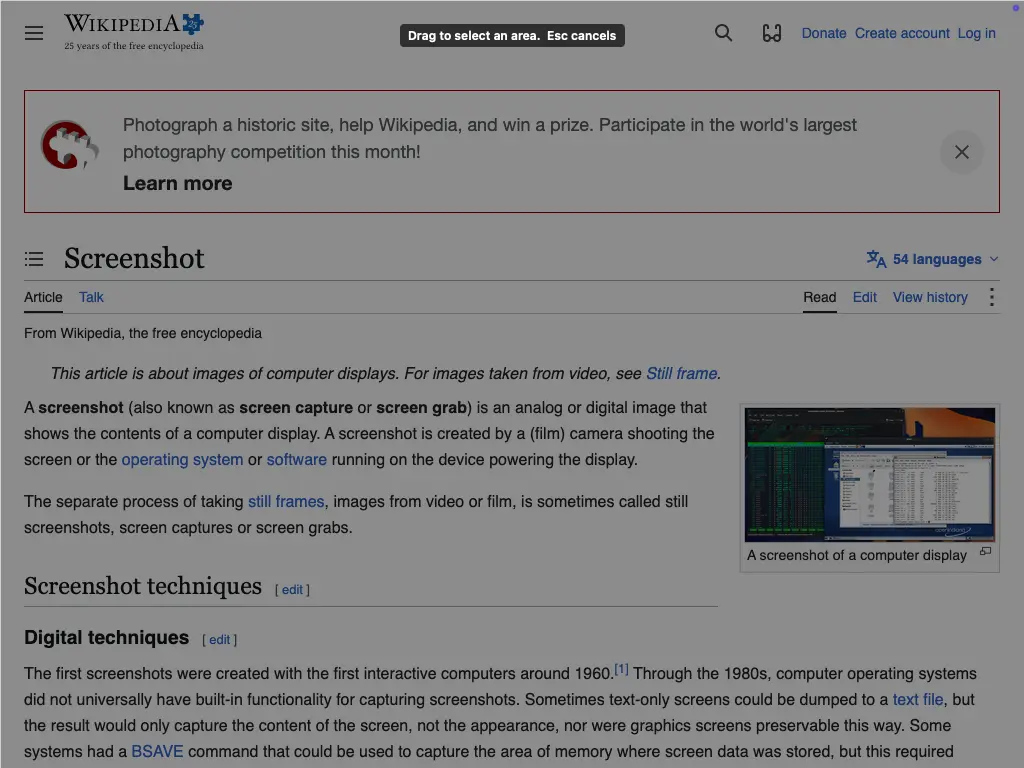
Right after pressing Shift+Cmd+5, before dragging: the whole screen is dimmed and waits for the selection. Esc cancels.
System requirements
- macOS 13 Ventura or newer, Intel and Apple silicon (one universal app)
- Screen Recording permission for ShotLight (macOS asks once; it is how any screenshot app sees the screen). Accessibility permission is optional: it lets ShotLight take Shift+Cmd+5 without a logout.
- To use Shift+Cmd+5, the macOS screenshot bar shortcut is switched off by ShotLight. The other macOS shortcuts (Shift+Cmd+3 and 4) keep working.