
Port Forwarder 1.1.9: free kubectl port-forward manager
Released at Oct 4, 2026Port Forwarder is a small desktop app that runs kubectl port-forward for you. Instead of one terminal tab per service and a shell script that dies when a pod restarts, you get a list of the workloads in your namespace: pick the ones you need, press Run, and every forward stays up until you stop it.
It is free. No account, no license key, no limits. It talks only to your own cluster, through the kubectl and kubeconfig already on your computer.
- The list comes from your cluster. The app reads the pods in the namespace, groups them per workload and suggests the ports from each container spec. Nothing to type for the common case.
- Auto-reconnect. When a pod is replaced or the connection drops, the forward finds the new pod and reconnects by itself, with backoff. A forward that keeps failing is flagged, not hidden.
- Presets. Save the set of services a task needs (for example "checkout flow") and start all of them with one click.
- Staging and production side by side. Each has its own context, namespace, services and presets. Production turns the whole window red so you always know where you are.
- Local port already in use? The app names the process that holds the port and frees it with one click.
- Know what each port is. Postgres, Redis, Kafka, HTTP and gRPC ports are labelled, and the address to paste into your client or
.envis one click to copy. - A log per service, plus one merged activity view. Dark and light themes. English and Indonesian.
- Kubeconfig manager: finds your kubeconfig, edits it with a backup, and maps contexts to staging and production.
- Updates itself.
Download Port Forwarder for Mac or Windows, or see how it works.
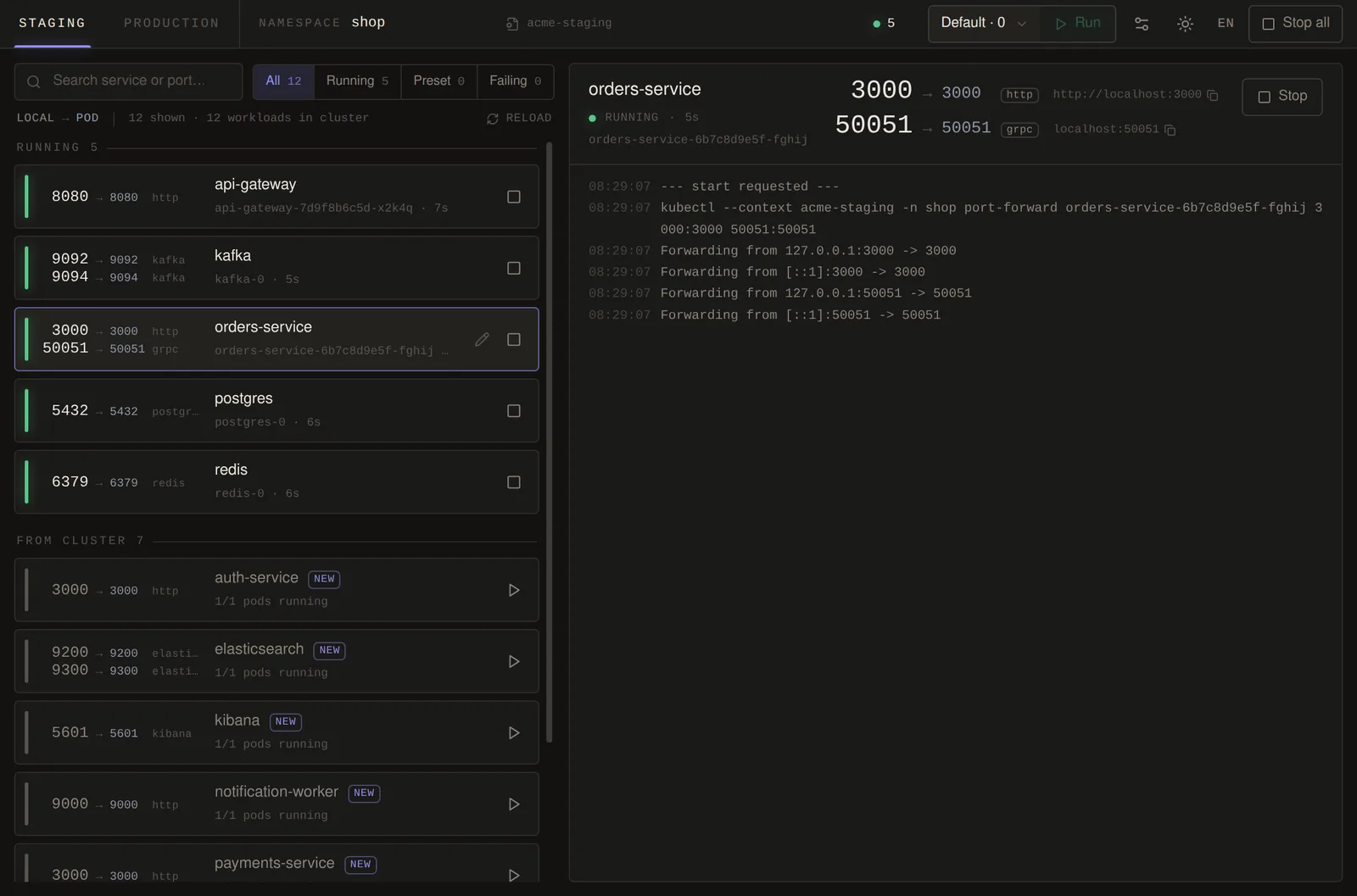
Five forwards running. The local port is the big number; the panel on the right shows the selected service and its kubectl log.
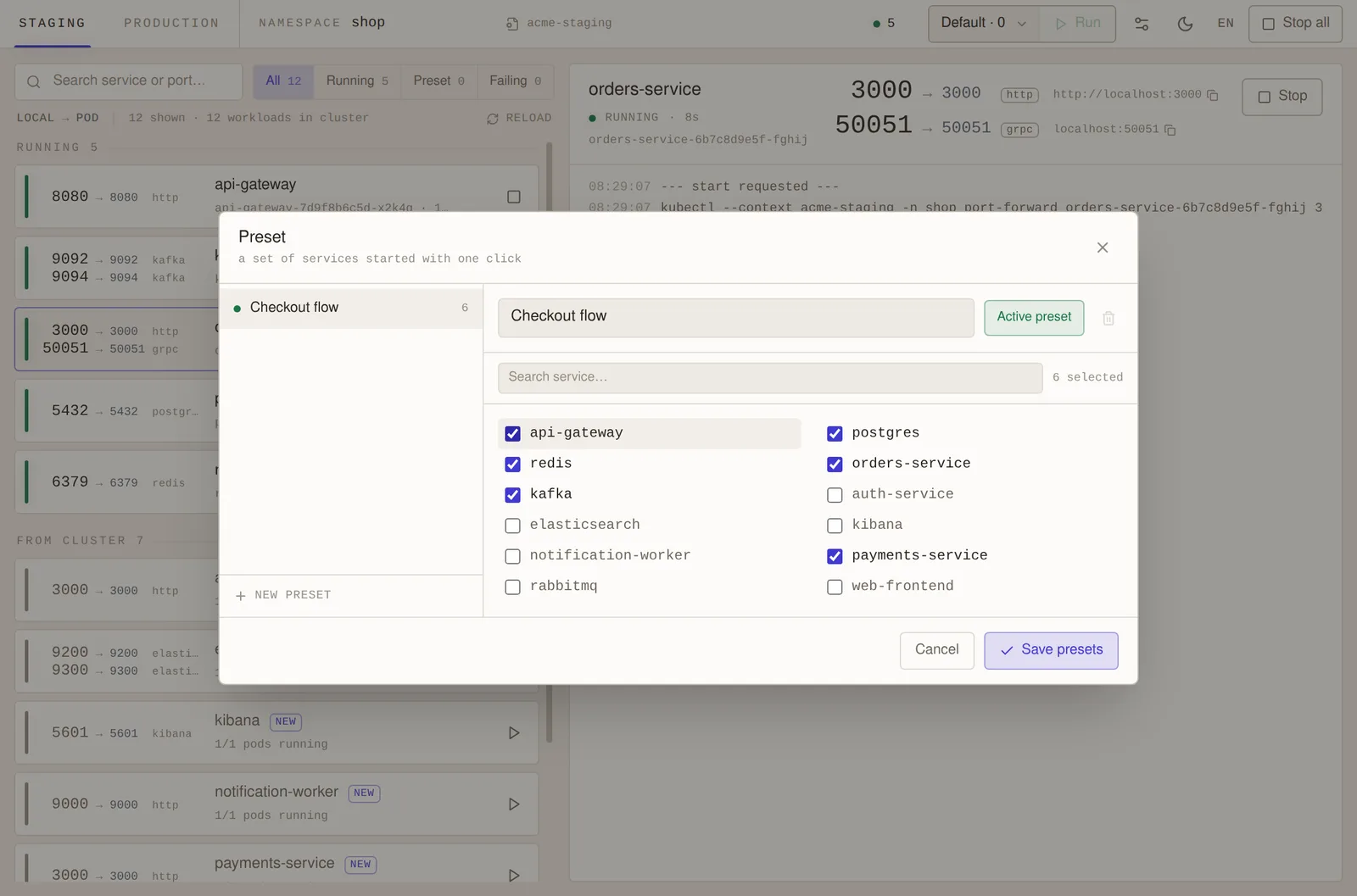
Presets: a named set of services that starts with one click (light theme).
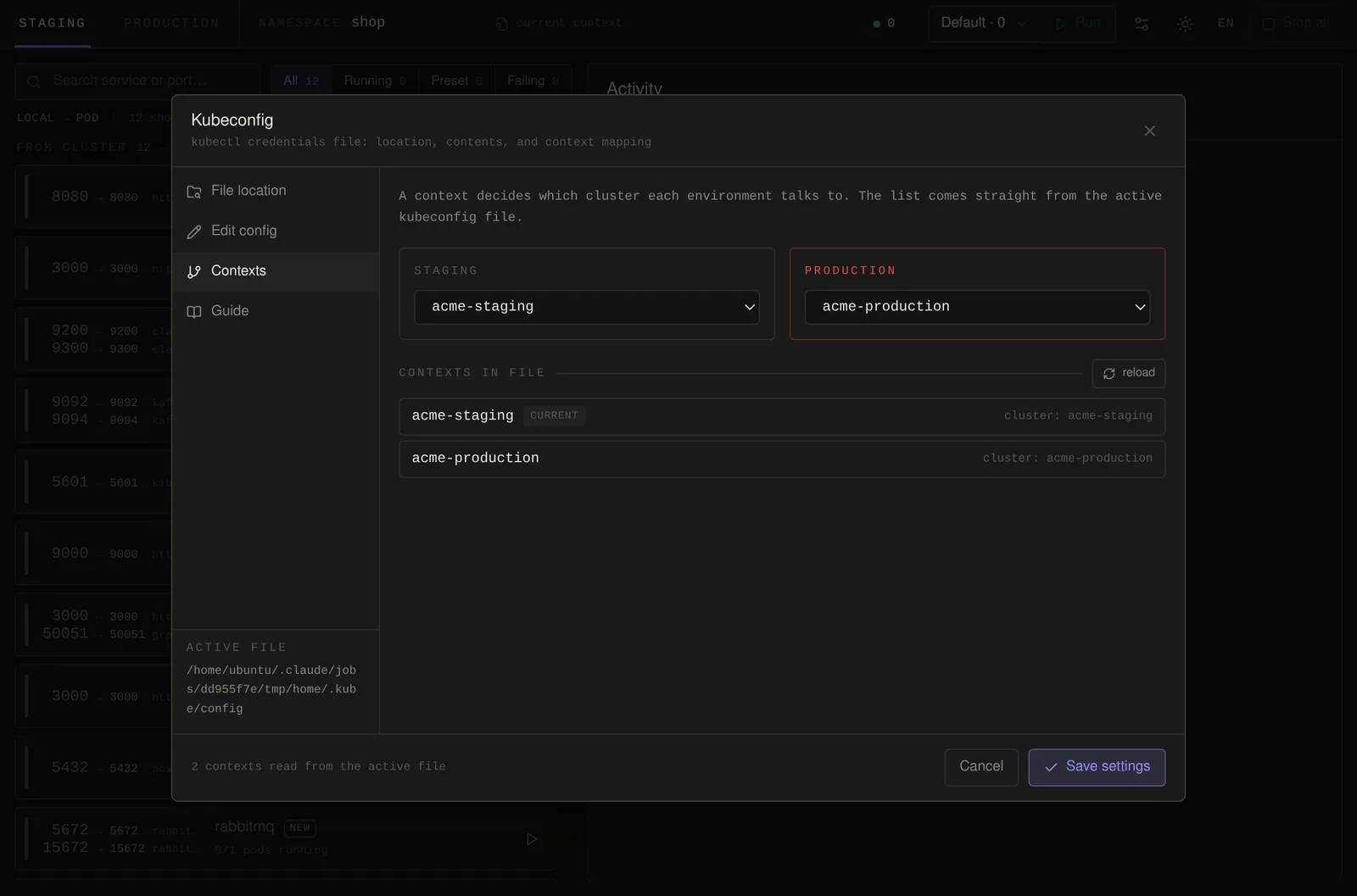
Kubeconfig manager: map a context to staging and to production.
System requirements
- macOS 11 Big Sur or newer, Intel and Apple silicon (one universal app)
- Windows 10 or 11 (64-bit)
- kubectl installed (Docker Desktop and Rancher Desktop already include it)
- A kubeconfig for your cluster: EKS, GKE, AKS, Rancher, k3s, or any other Kubernetes