How to use GuiTabs
Install
- Download
GuiTabs-chrome.zipfrom the download page and unzip it. You get a folder namedGuiTabs. Put it somewhere it can stay (Documents, for example): Chrome loads the extension from that folder every time it starts. - Open
chrome://extensionsin Chrome (edge://extensionsin Edge) and turn on Developer mode, the switch at the top right. - Click Load unpacked and choose the
GuiTabsfolder (the one withmanifest.jsonin it). - Click the puzzle icon in the toolbar and pin GuiTabs, so its button is always there.
- To update: download the new zip, unzip it over the same folder, and click the reload arrow on the GuiTabs card in
chrome://extensions. Your settings are kept.
Use
Connect the fretboard
- Open a tab on songsterr.com or a chord sheet on tabs.ultimate-guitar.com. The GuiTabs panel appears on the page. The GuiTabs button in the toolbar hides and shows it, and you can drag the panel anywhere.
- Switch on the LiteJam, then press the connect button under Fretboard lights in the panel. Chrome opens its Bluetooth window: pick your fretboard and click Pair.
- The next time you open or refresh a page, GuiTabs reconnects by itself.
On Songsterr
- Choose the track you want to play (guitar, bass) in Songsterr as usual, and press play.
- The LEDs follow the cursor: the beat being played, the next beat, and the beats further down the bar, each dimmer than the one before. The sliders set how bright each of them is and how far ahead to show.
- Slow the song down or loop a section with Songsterr's own controls. The lights follow.
On Ultimate Guitar
- Open a chord sheet. GuiTabs reads the chords and shows them in the panel, with the key and scale it found.
- Transpose on the page or in the panel: the lights move with it.
Key, scale and practice
- Key and scale lists the scales that fit the song, each with a fit percentage. Click another one to light that instead.
- Choose how the scale is lit: across the whole neck, only near the notes being played, per chord, or as a single box that works for the whole song. The root note has its own color.
- Practice plays a pattern on the LEDs for you to follow: the scale up and down, the chord tones of the progression, or a composed melody. It starts at the tempo of the song.
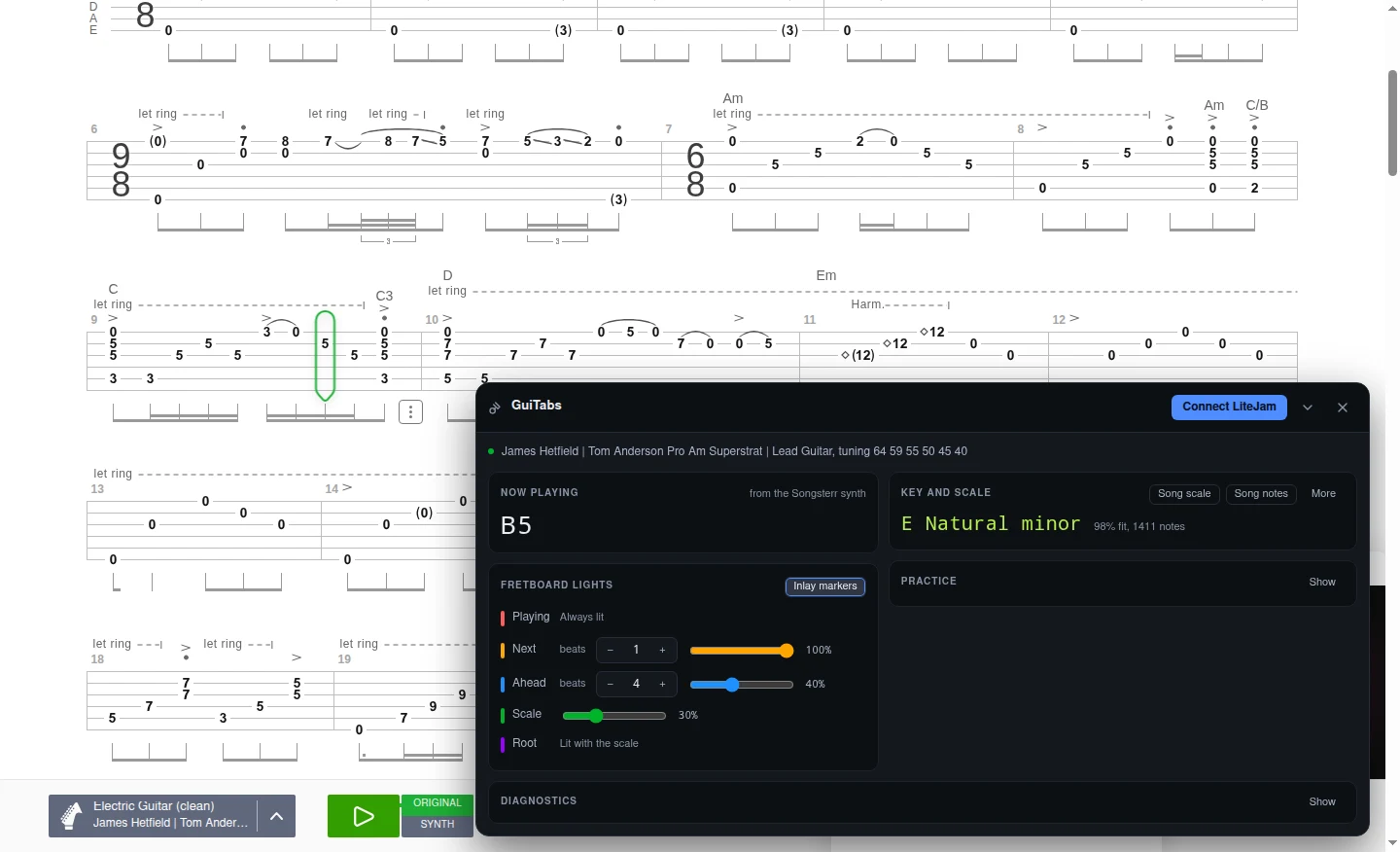
Songsterr while playing: the GuiTabs panel shows the note being played, the key and scale it detected (E natural minor), and how many beats ahead the fretboard lights up.
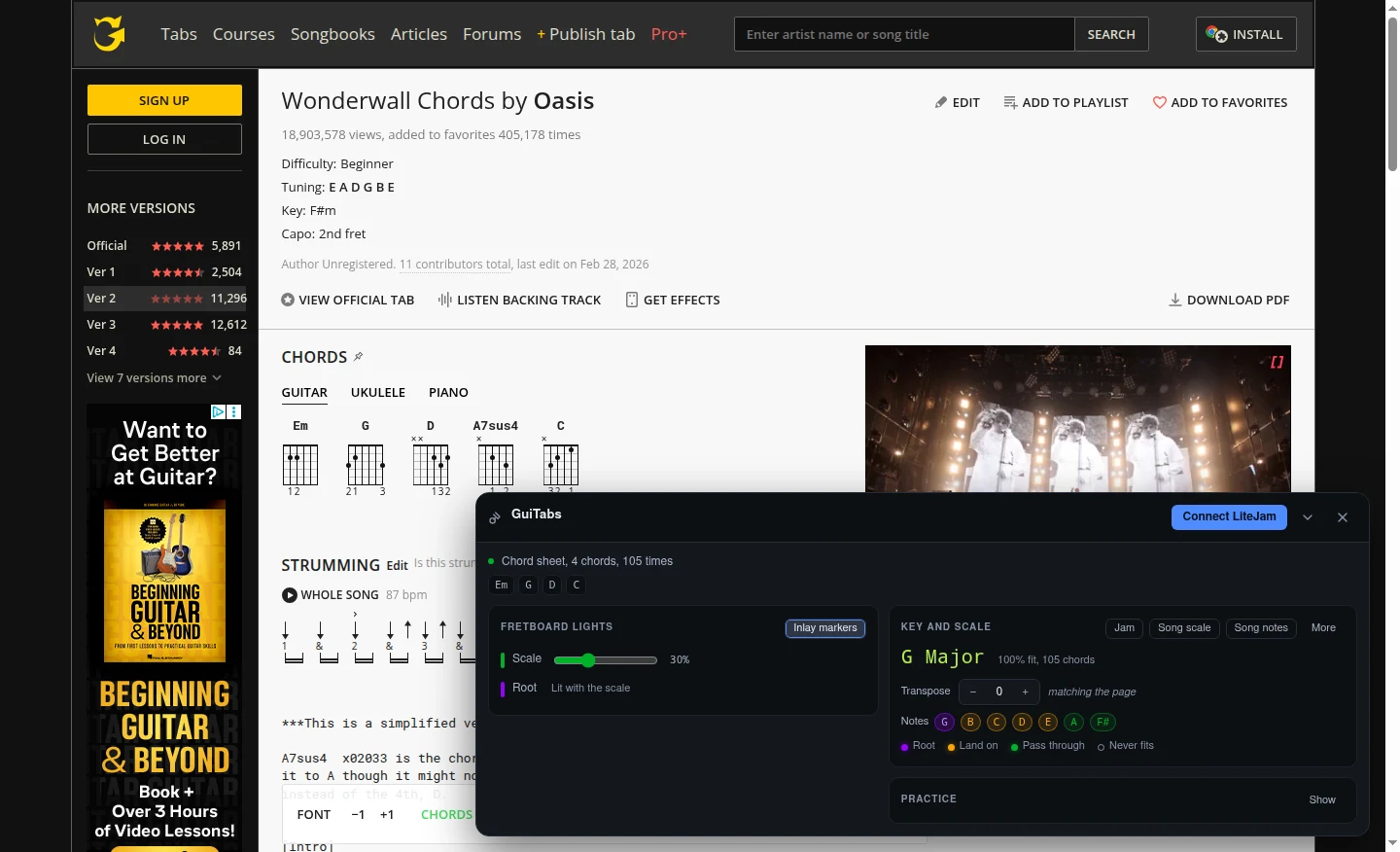
An Ultimate Guitar chord sheet: GuiTabs reads the chords, finds the key (G major) and lights the scale notes, with transpose and a Jam mode.