
PeerRemote: free peer-to-peer remote desktop
PeerRemote lets you see and control a Windows or Mac computer from another computer, or from your iPhone or iPad. Tell your partner your 9-digit ID and the session password and you are in. Set a permanent password and you can reach your own computer from anywhere, any time.
It is free, and it stays free. The screen, your mouse and keyboard, the clipboard and files travel directly between the two devices (WebRTC, encrypted end to end). Our server only helps the two devices find each other, so there are no big server bills to pass on to you, and no reason to cut you off after 5 minutes or to flag you for "commercial use" like TeamViewer does. No account is needed for the free version.
- Windows and macOS host and viewer, iPhone and iPad viewer. Sharp 1080p picture at up to 30 frames per second.
- Unlimited sessions, unlimited duration, unattended access with a permanent password, start at login.
- Clipboard sync in both directions, keyboard shortcuts, Ctrl+Alt+Del, quality presets for slow connections.
- Works behind home routers and office firewalls: direct connection when possible, encrypted relay when not.
- Small, quiet app in the tray. Updates itself.
PeerRemote Pro adds file transfer, switching between monitors, an unlimited address book, removes the "personal use" label and allows commercial use. It costs $19 once, not per month. One payment, all your devices, all future versions. Try it free for 14 days from the Account tab in the app. Get Pro
Sign in with the same account on your computers and phone and they appear in a My devices list, with an online indicator. Your own devices connect to each other without a password.
Download PeerRemote for Windows or Mac, or see how it works.
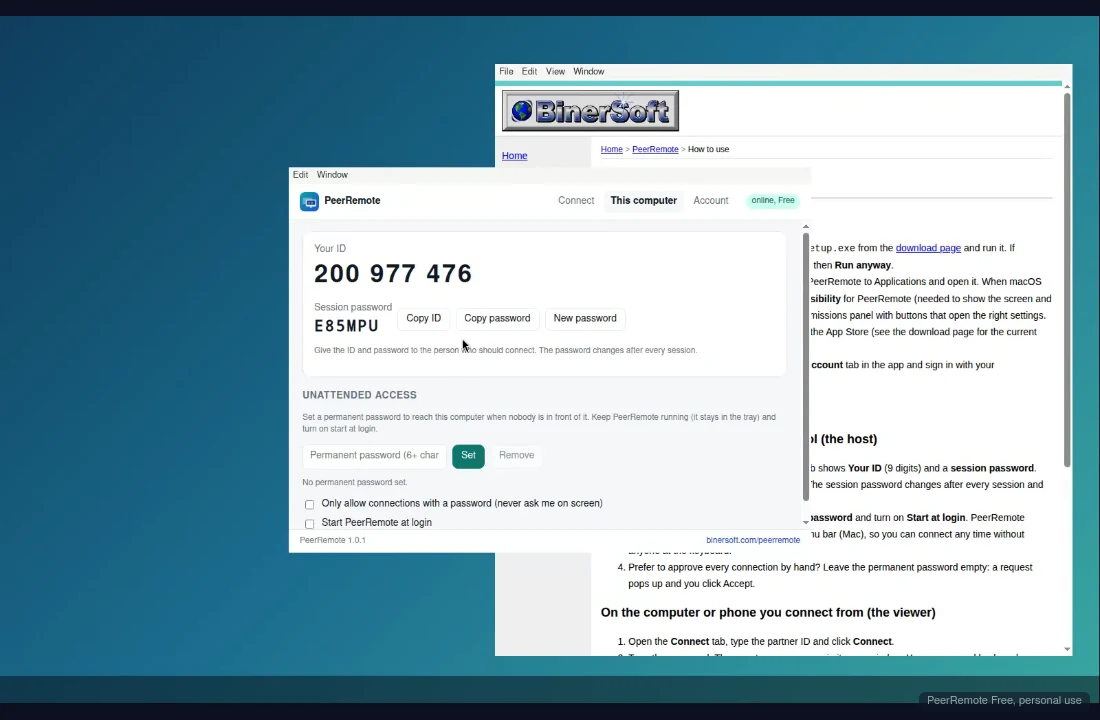
A live session: this computer is controlling another one over a direct peer-to-peer connection. The toolbar hides itself while you work.
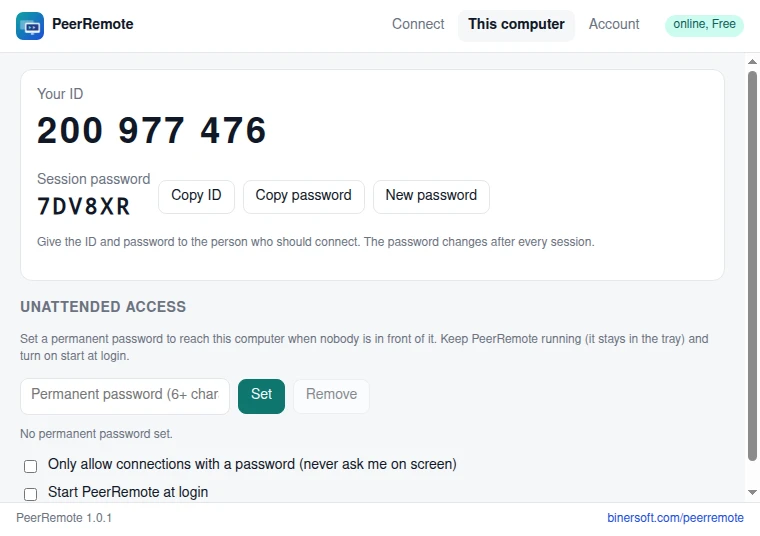
The "This computer" tab: your ID, the session password, and the permanent password for unattended access.
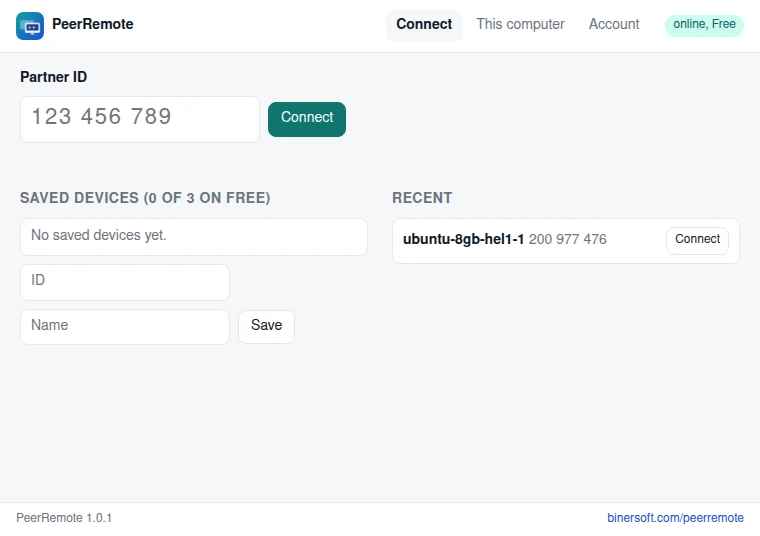
The Connect tab: type a partner ID, or pick one of your saved or recent devices.
System requirements
- Windows 10 or 11 (64-bit)
- macOS 11 Big Sur or newer, Intel and Apple silicon (one universal app)
- iPhone or iPad with iOS 17 or newer (viewer only: Apple does not allow an iPhone to be controlled)
- Internet connection on both sides. A direct connection needs no open ports; when one side is behind a strict firewall an encrypted relay takes over.